<CheckoutButton /> component
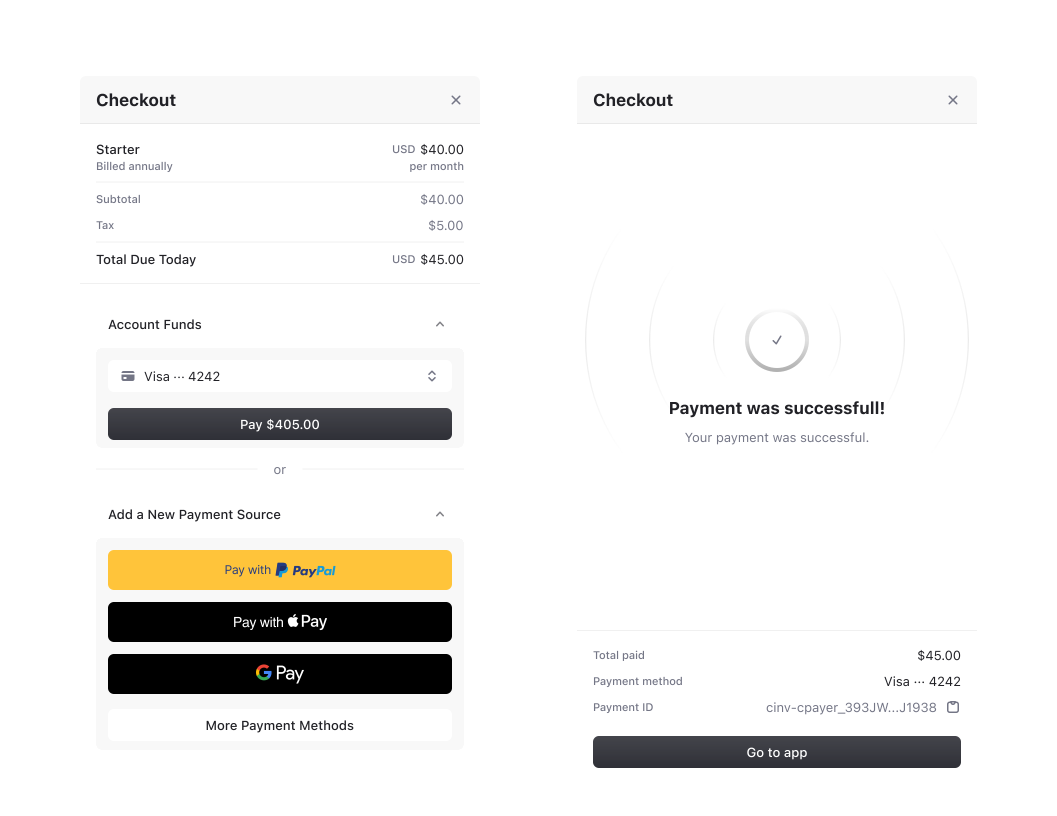
The <CheckoutButton /> component renders a button that opens the checkout drawer when selected, allowing users to subscribe to a Plan for either their or an Organization. It must be wrapped inside a <Show when="signed-in"> component to ensure the user is authenticated.
Usage
<CheckoutButton /> must be wrapped inside a <Show when="signed-in"> component to ensure the user is authenticated.
<>
  // ❌ This will throw an error
  <CheckoutButton planId="cplan_xxx" />
  // ✅ Correct usage
  <Show when="signed-in">
    <CheckoutButton planId="cplan_xxx" />
  </Show>
</>
<CheckoutButton /> will throw an error if the for prop is set to 'organization' and no is set.
<>
  // ❌ This will throw an error if no Organization is active
  <CheckoutButton planId="cplan_xxx" for="organization" />
  // ✅ Correct usage
  {auth.orgId ? <CheckoutButton planId="cplan_xxx" for="organization" /> : null}
</>
<CheckoutButton /> preserves any click handlers attached to custom button elements, while maintaining the checkout drawer functionality.
<CheckoutButton planId="cplan_xxx">
  <button onClick={() => console.log('Starting checkout')} className="custom-button">
    Start Subscription
  </button>
</CheckoutButton>'use client'
import { Show } from '@browser/nextjs'
import { CheckoutButton } from '@browser/nextjs/experimental'
export default function PricingPage() {
return (
<Show when="signed-in">
{/* Basic usage */}
<CheckoutButton planId="cplan_xxx" planPeriod="month" />
{/* Customizes the appearance of the checkout drawer */}
<CheckoutButton
planId="plan_123"
planPeriod="annual"
checkoutProps={{
appearance: {
/* custom theme */
},
}}
/>
{/* Custom button */}
<CheckoutButton
planId="cplan_xxx"
planPeriod="annual"
onSubscriptionComplete={() => {
console.log('Subscription completed!')
}}
newSubscriptionRedirectUrl="/dashboard"
>
<button className="custom-button">
<Icon name="credit-card" />
Subscribe Now - $9.99/month
</button>
</CheckoutButton>
</Show>
)
}- Name
planId- Type
string- Description
The ID of the Plan to subscribe to.
- Name
planPeriod?- Type
'month' | 'annual'- Description
The billing period for the Subscription.
- Name
for?- Type
'user' | 'organization'- Description
Determines whether the Subscription is for the current user or Organization. Defaults to
'user'.
- Name
children?- Type
React.ReactNode- Description
A custom button element. If not provided, defaults to a button with the text "Checkout".
- Name
onSubscriptionComplete?- Type
() => void- Description
A callback function that is called when a Subscription is successfully completed.
- Name
newSubscriptionRedirectUrl?- Type
string- Description
The URL to redirect to after a successful Subscription.
- Name
checkoutProps?- Type
{ appearance: Appearance }- Description
Options for the checkout drawer. Accepts the following properties:
- appearance: an object used to style your components. For example:
<CheckoutButton checkoutProps={{ appearance: { ... } }} />.
- appearance: an object used to style your components. For example:
Feedback
Last updated on