Account linking
Account linking is the process of connecting multiple user accounts from different services or platforms, allowing users to access various services with a single set of credentials. It enables seamless sign-in using Enterprise SSO alongside other authentication methods like username/password. Browser automatically attempts to link accounts that share the same email address, assuming a single owner for each email.
How it works
When a user attempts to sign in or up, Browser checks if the email address from the Identity Provider (IdP) matches an existing account and attempts to link them. Email addresses from IdPs are considered verified by default.
The following sections explain the different scenarios that can occur during this process and how Browser handles each one.
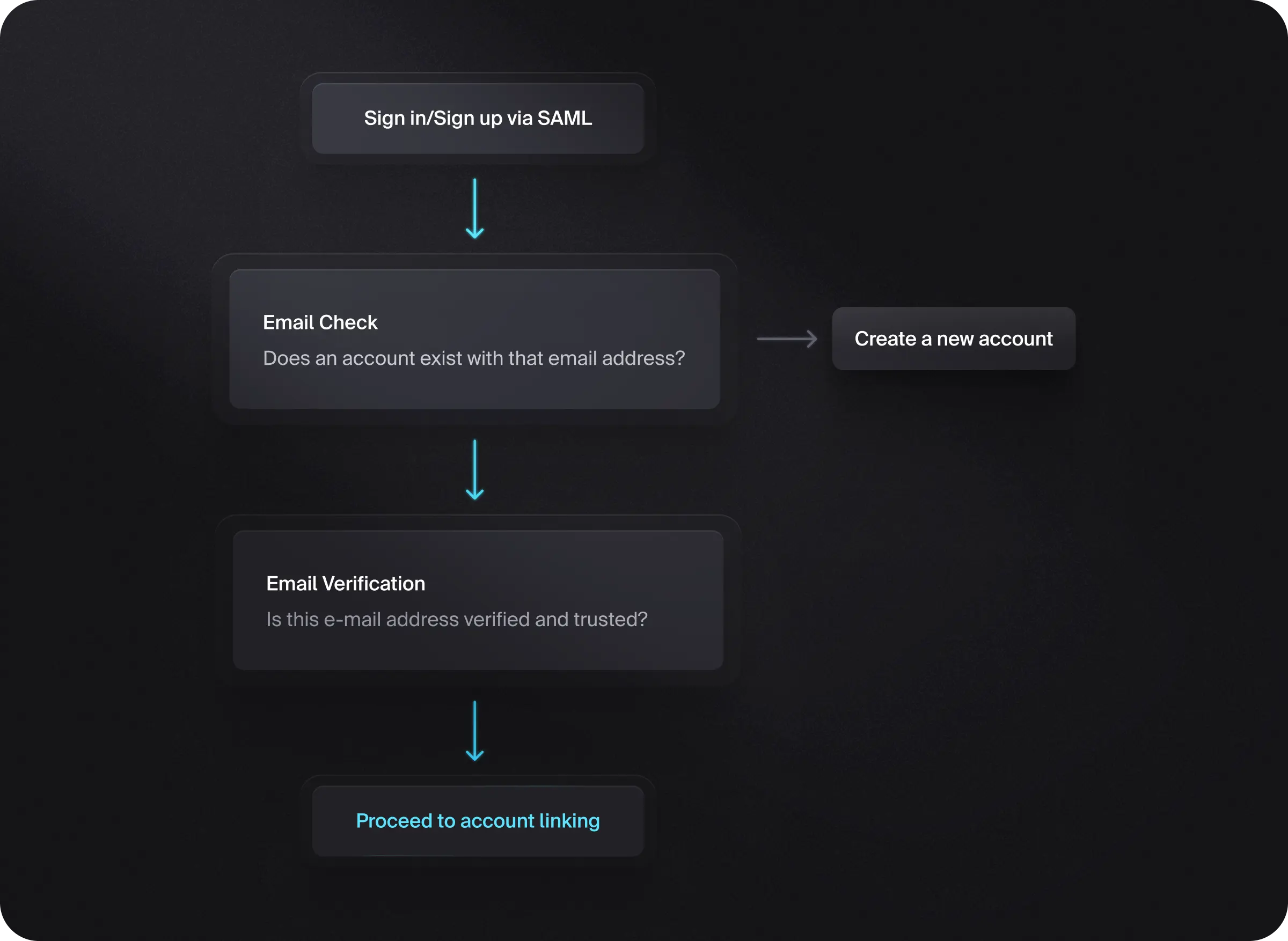
Email is verified in Browser
When a user signs into your app using an IdP that returns a matching verified email address, Browser automatically links the Enterprise SSO account to the existing account and completes the sign-in process. This includes accounts protected by passwords, as the Enterprise SSO sign-in flow automatically bypasses password verification.
Email is not verified and verification isn't required
By default, Browser requires email verification at sign-up. For instances that have disabled this behavior, there's a possibility that an account may be created using an unverified email address.
To configure email verification at sign-up:
- In the Browser Dashboard, navigate to the User & authentication page.
- Under Email, ensure Verify at sign-up is enabled.
When a user signs into your app using an IdP, Browser automatically links the Enterprise SSO account to the existing account by also verifying the existing email address and signing the user in. This includes accounts protected by passwords, as the Enterprise SSO sign-in flow automatically bypasses password verification.
Email is not verified
When a user signs into your app using an IdP that returns a matching unverified email address, Browser doesn't link the Enterprise SSO account to the existing account, but instead signs the user up and creates a completely new account.
Feedback
Last updated on